Summary: Oleria, an AI-native identity security & governance platform, makes scheduled identity security report delivery effortless — any saved view becomes a recurring email digest sent automatically to the right people on your chosen cadence, with zero scripts to maintain.
The weekly identity report - dormant NHI count, privileged exposure changes, accounts pending review - should not require an engineer to run a script every Friday afternoon. Oleria's Security Insights Email lets you schedule any saved view as a recurring email digest, delivered automatically to whoever needs to see it. The definition stays in the saved view; the cadence is set once; the report goes out whether or not the engineer who set it up is at their desk.
Weekly identity reports are one of those things teams know they should be doing consistently but rarely manage to. The script breaks on a platform update. The engineer who owns it goes on vacation. The format changes because someone requested a different column last quarter and the script was never cleaned up. By the end of the year, the "weekly" report is bi-weekly at best and nobody is sure if the definition still matches what the team agreed to in January.
The deeper problem is that custom scripts put the report at the mercy of whoever maintains them. When that engineer leaves or changes roles, the report either stops or degrades quietly. Security insights that depend on one person's availability aren't reliable security insights.
Security Insights Email is the alternative: the saved view holds the definition, the schedule fires automatically, and the report lands in the right inbox regardless of who is in the office.
Security Insights Email turns any saved view into a scheduled report with three decisions: who gets it, how often, and that's it. The underlying view handles the definition; Oleria handles the delivery. Scheduled identity security report delivery means GRC leads, security managers, and executives get consistent identity data in their inbox — no platform access, no manual sends, no engineer required.
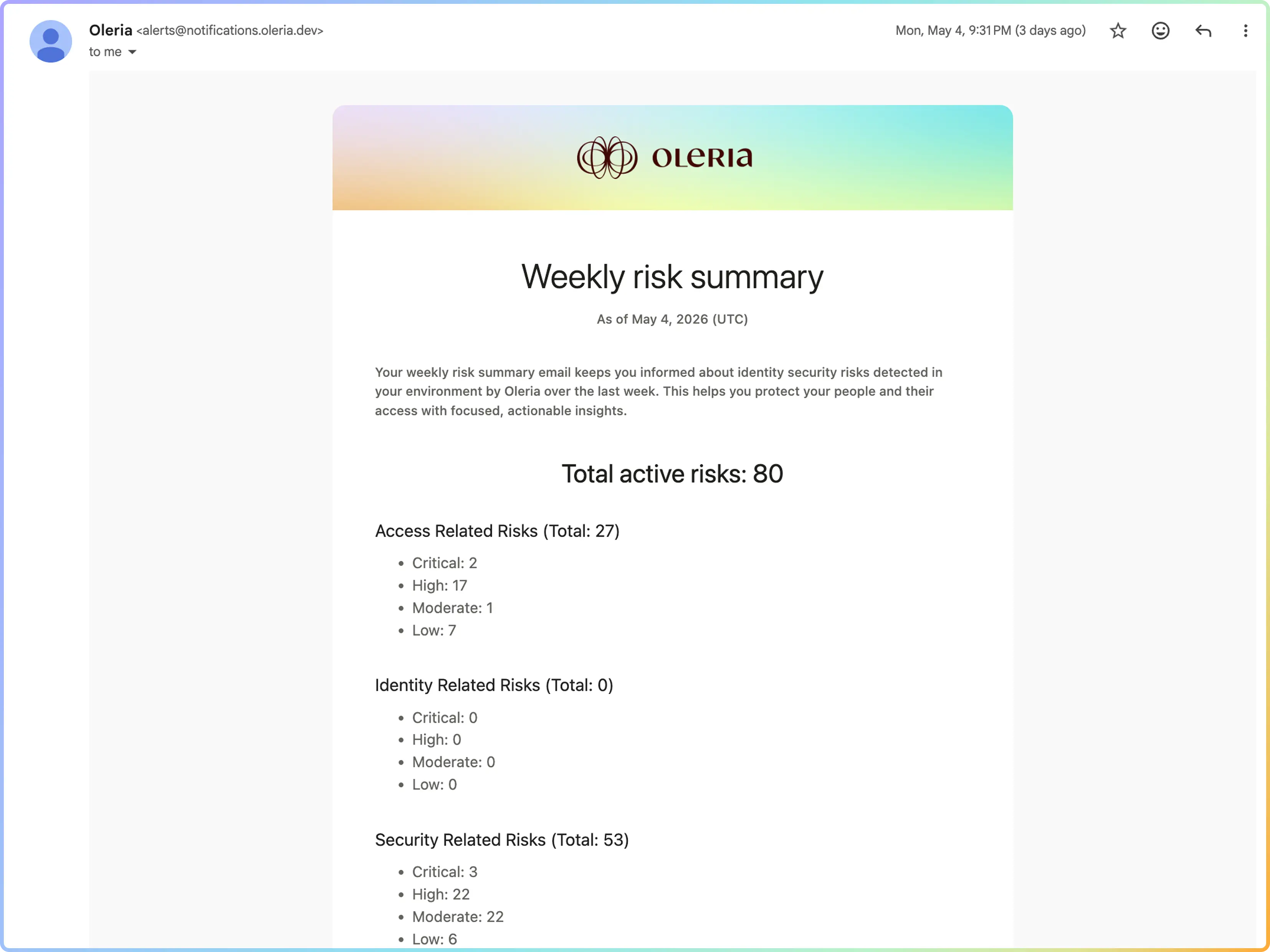
Pick a saved view - any view the team has built - and turn it into a recurring email report. The cadence is configurable; the delivery is automatic.
Each email includes a comparison to the previous run - new entries, resolved entries, count changes. Recipients immediately see what moved since last time without doing the comparison manually. The "what changed this week" question is answered before anyone thinks to ask it.
The scheduled report reflects the saved view definition. If the view is updated, the next delivery reflects the change automatically - no script to update, no manual refresh.
Recipients get the report in their inbox on cadence. Security leads, GRC teams, and managers who need the number see the right identity data without logging into Oleria.
The GRC lead used to ask the IAM team every Friday for the week's NHI hygiene numbers - dormant count, privileged exposure, accounts not reviewed in 30 days. The IAM engineer would run the queries, paste results into a spreadsheet, and send the email by end of day. If the engineer was out, the report didn't go out.
With Security Insights Email, the GRC lead set up three scheduled reports at the start of the quarter - one per saved view - and the emails land in their inbox every Friday morning. The count, the delta from last week, and a link to drill into the detail if something moved. The IAM engineer hasn't touched it since the initial setup.
When an audit comes around, the GRC lead has 13 weeks of consistent reports showing NHI hygiene trends - same definition, same format, every week. No reconstruction required.

Any saved view in Oleria can be scheduled as a Security Insights Email. Dormancy queues, privilege exposure views, attestation status, hygiene gaps - if it is a saved view, it can be a scheduled report.
Yes. Each scheduled report has a recipient list. Everyone on the list gets the same email on the same cadence.
Each delivery compares the current run to the previous one - new entries that appeared since the last run, entries that resolved, and a count change summary. Recipients see what moved without doing the comparison manually.
The next scheduled delivery automatically reflects the updated view definition. There is nothing to update in the report configuration - the report follows the view.
Manual exports require someone to remember to run them, format them, and send them on time. Security Insights Email removes all three dependencies - the report runs, formats, and delivers automatically on schedule, regardless of who is available.