
Access Reviews
User access reviews, from real usage to audit evidence
Show reviewers what each person actually uses, remove the access they reject, and give your auditors evidence that will hold up.
Access reviews pass the audit but miss the risk
84%
Approve-all fatigue
Reviewers face hundreds of lines and approve in bulk to clear the queue.
No usage context
Reviewers see an entitlement name, not whether anyone uses it.
Remediation that stalls
Revocations sit in tickets long after the review closes.

How Oleria runs a user access review

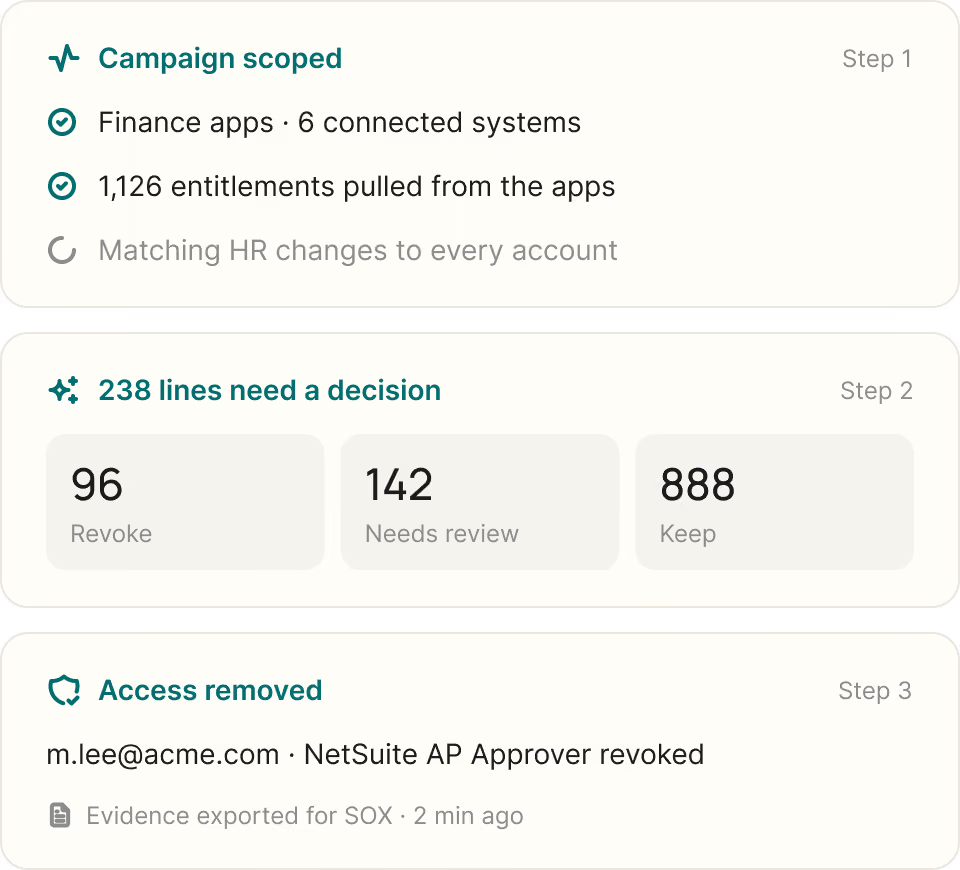
Scope the campaign
Choose the apps, users, or groups to certify. Oleria pulls each account's actual permissions from the apps themselves, not just your IdP.

Decide with context
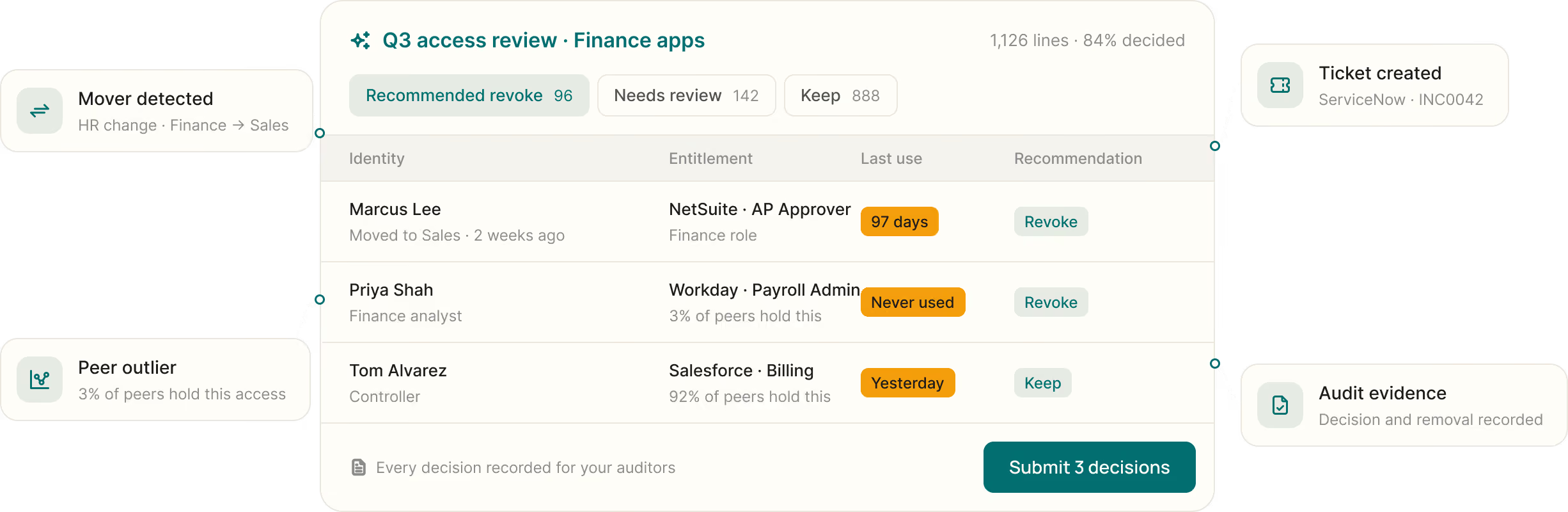
Each line shows last use, dormancy, peer comparison, and HR changes, with a recommendation, so reviewers focus on the exceptions.

Remediate and close with evidence
Rejected access is removed where it's safe, or ticketed in Jira or ServiceNow. Every decision is recorded for your auditors.
What better access reviews change for your team
For reviewers
Decisions With Context Last use, peers, and HR changes on every line, so no one approves in bulk to clear the queue.
For IAM
Remediation That Closes Rejected access removed where safe, or ticketed, not left in a spreadsheet.
For GRC
Evidence That Holds Up Who reviewed what, the decision, when, and proof that access was removed.
For security
Reviews That Reduce Risk Exceptions stand out, so each review removes risky access instead of only passing the audit.
Real customers. Real results.
Security teams use Oleria to clean up excess access, get through audits faster, and bring AI agents under control


Oleria is one of those things that once you see it and get it, it’s hard to imagine doing what you’ve been doing without it.


Being able to assess the current state and optimize around least privilege provides the ROI in itself. And the ability to understand what my engineers need will help us provide least-privilege access.


Oleria gives us unparalleled visibility into identity access and usage, saving time and strengthening our compliance posture.

Questions about access reviews
What is a user access review?
A user access review (UAR) is a periodic check that each person's access to apps and data is still needed. Oleria shows reviewers what each account actually uses, so they approve or reject with context instead of approving in bulk.
What context do reviewers see?
Each line shows last use, dormancy, peer comparison, and HR changes, with a recommendation. Reviewers can focus on the exceptions instead of clearing the queue.
Where does Oleria get each account's permissions?
From the apps themselves, not just your identity provider. Reviews cover the permissions people actually hold in each app, including access granted through groups.
What happens to access a reviewer rejects?
Rejected access is removed where it's safe to do so, or ticketed in Jira or ServiceNow, so remediation doesn't stall after the review closes. Every action is recorded in the audit trail.
What evidence do auditors get?
A record of who reviewed what, each decision, when it was made, and proof that rejected access was removed.
Learn more about access reviews
Guides and customer stories on running usage-aware access reviews that reviewers can actually judge.