
External Access Management
External Access Management Without Slowing Collaboration
See every external user, shared file, and anonymous link across your apps, know which are still in use, and safely revoke the rest.
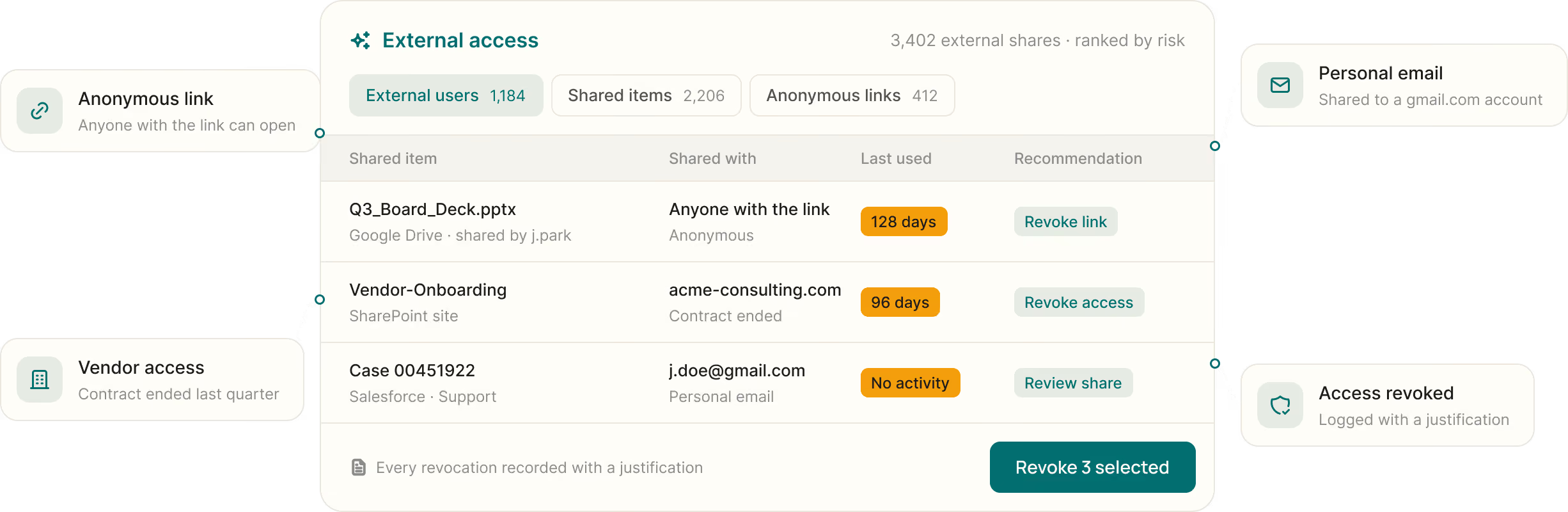
Who outside your company can see your data?
<50%
Shares that outlive projects
The vendor contract ended last quarter. Their access to the shared folder didn't.
Anyone with the link
Anonymous links open files to anyone who has the URL, with no name attached.
No single view
External users and shares sit in each app's admin console, never in one place.
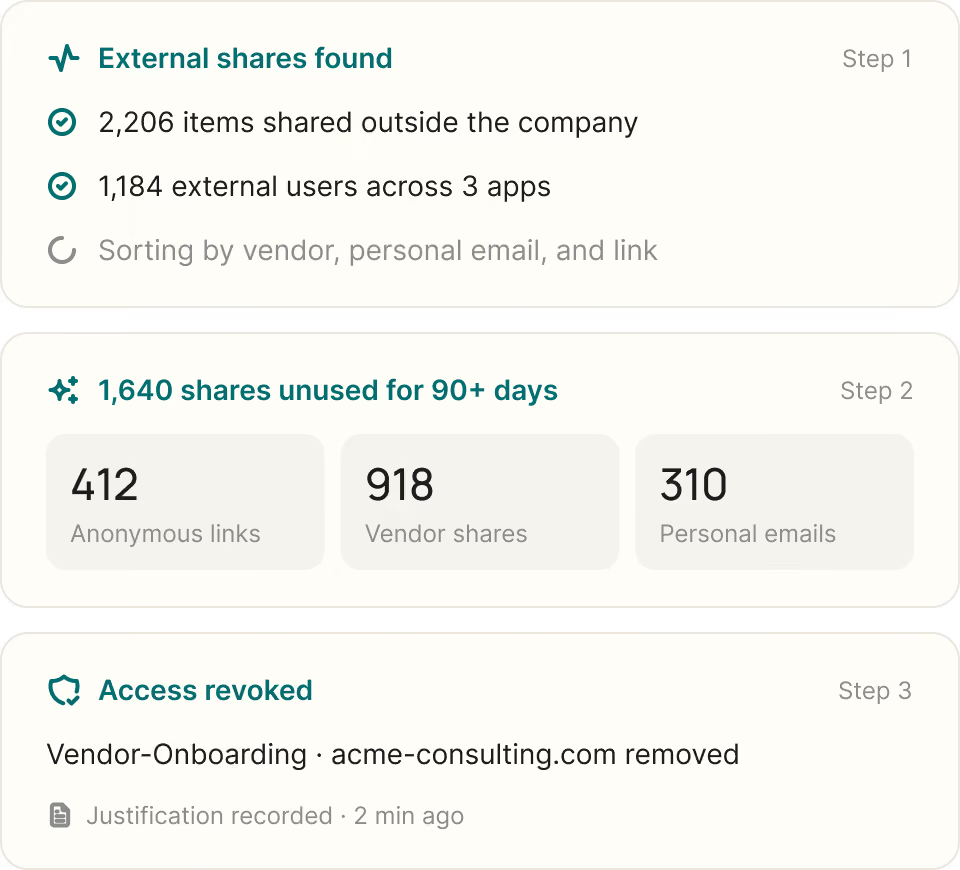

External access outlives the project

See every external share. Find external users and the files, folders, repositories, and Salesforce cases shared with them, sorted by vendor, personal email, or anonymous link.

Spot what's no longer used. See who shared each item, how access was granted, and when it was last used, so dormant external access stands out.

Revoke and record it. Revoke external and anonymous access from Oleria in supported apps, with a justification and audit record for every change.
What does Oleria include for external access?
One view of every external share
External users, shared files, and anonymous links across your apps, in one place.
Last-used context
Who shared each item, how access was granted, and when it was last used.
Revocation with an audit record
Revoke external and anonymous access in supported apps, with a justification for every change.
Real customers. Real results.
Security teams use Oleria to clean up excess access, get through audits faster, and bring AI agents under control


Oleria is one of those things that once you see it and get it, it’s hard to imagine doing what you’ve been doing without it.


Being able to assess the current state and optimize around least privilege provides the ROI in itself. And the ability to understand what my engineers need will help us provide least-privilege access.


Oleria gives us unparalleled visibility into identity access and usage, saving time and strengthening our compliance posture.

Questions about external access
What is external access management?
External access management is how organizations see and control what people outside the company can reach, such as vendors, contractors, and guests. Oleria shows every external user and share across your apps, when each was last used, and lets you revoke what is no longer needed.
What is the difference between guest access and external sharing?
Guest access adds an outside person as an account in your tenant. External sharing gives someone outside your company access to specific files, folders, or records, sometimes through a link anyone can open. Oleria shows both in one view.
How does Oleria find anonymous links?
Oleria flags items shared through "anyone with the link" settings as anonymous access, so you can see which files are exposed without a named recipient and revoke them.
Which apps does Oleria cover?
Oleria shows external access across your connected apps, such as Google Workspace, Microsoft SharePoint, and Salesforce. Revocation from Oleria is available for supported apps, such as SharePoint.
Will removing external access disrupt collaboration?
Oleria shows when each external share was last used, so you can remove dormant access and leave active collaboration in place. Every revocation is recorded with a justification.
Learn more about external access
Guides and customer stories on governing partner, contractor, and guest access to your data.