Introducing Integration Studio: Solving the IGA connector backlog
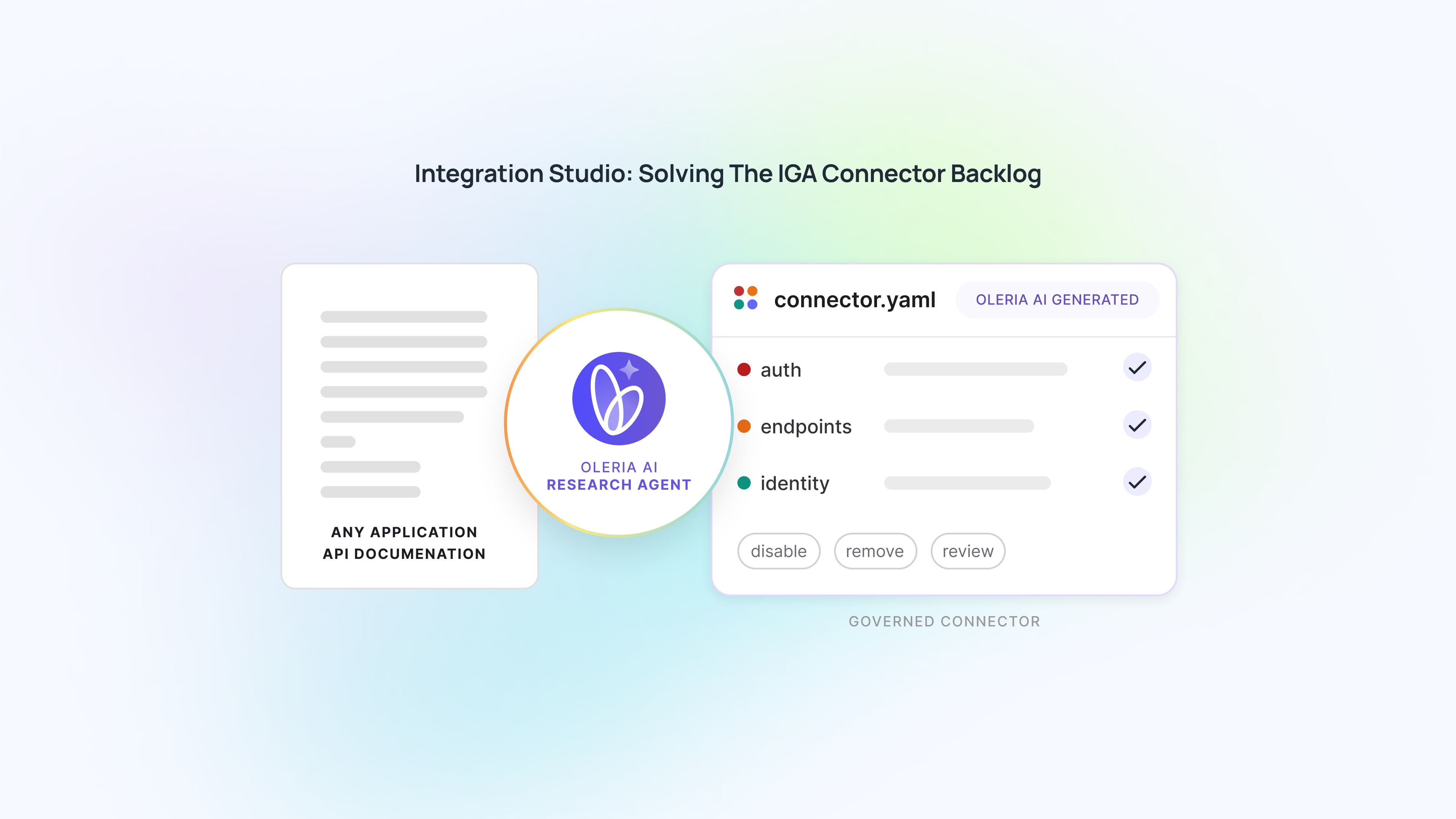
Oleria Integration Studio eliminates the IGA connector backlog by turning raw API documentation into deterministic, live write-back integrations in minutes.

Key Takeaways
- IGA programs silently exclude apps outside the standard catalog because every ungoverned SaaS tool means months of engineering work, a professional services SOW, or an indefinite roadmap wait.
- Oleria Integration Studio sends an AI research agent into an app's API documentation and delivers a governance-ready connector the same day, with no code, no engineer, and no roadmap dependency.
- A connector is a manifest, not code: one deterministic runtime reads every manifest the same way, so a single bug fix improves every connector in the catalog at once.
- Every AI-generated connector clears a deterministic mechanical validator before the security team makes a final Connect or Discard decision, and no live credentials are applied until that decision is made.
This summary was created with AI and reviewed by an editor.

Ask AI to write a summary


Featured event: A CISO’s take
Join Jim Alkove and Ramy Houssaini to learn how forward-thinking security teams are addressing Enterprise AI Copilot risks.
Ask anyone who has run an IGA rollout what actually slows it down, and the answer is rarely policy design or workflow configuration. It's connectors. The app your business runs on doesn't have one, the vendor's roadmap doesn't have room for it this quarter, and your access reviews, certifications, and governance program quietly exclude that app until someone builds it. Integration Studio exists to end that wait.
Point it at an app's API documentation, and an AI research agent ships a governance-ready connector the same day with no engineer, no code, and no roadmap request. You watch the whole process happen and decide at the end whether to connect it.
What is Oleria Integration Studio?
Oleria Integration Studio is an AI-driven capability that eliminates the IGA connector backlog by transforming raw API documentation into governance-ready integrations. By parsing application endpoints into a deterministic manifest, it enables full, programmatic read-write capabilities in minutes, bypassing the need for custom code, engineering resources, or vendor roadmap dependencies.
The tax every IGA program pays: the application onboarding bottleneck
Every IGA vendor sells coverage. Almost none of them can deliver it on the timeline that matters. The apps in the standard catalog like Okta, Workday, and Salesforce are governed well. The moment you step outside that list into a niche SaaS tool adopted last quarter, an internal HR app built five years ago, or an industry-specific platform, coverage stops.
Closing that gap has always meant the same thing: a request into an engineering backlog, a professional services statement of work, or a multi-month wait behind apps with bigger logos attached. Identity programs quietly adjusted their ambitions to match: full coverage simply meant coverage of the apps we could get built.
To bridge this gap, organizations typically resort to workarounds that compromise either speed, stability, or administrative control:
Comparing IGA application onboarding methods
How it works: 3 steps to a governance-ready connector
Integration Studio starts with a link. You point it at an application's API documentation, choose the depth you want to govern, and watch an AI research agent go to work in the open, not behind a spinner. It reads the documentation the way an engineer would by framing the authentication scheme, pinpointing endpoints for users and groups, and resolving result-set pagination.
- Understand the API: Pin down authentication, endpoints, and pagination into a structured description of how the app actually works.
- Map it to identity: Decide which fields are users, which are groups, and which carry membership and entitlement, translating the app's vocabulary into Oleria's identity model.
- Assemble the connector: Bring those findings together into a structured manifest that can run.
You see the reasoning and exact pages fetched at every stage. When the research is done, you make one decision: Connect or discard. Select Connect and you hand over credentials. Oleria tests the connection against the live app within your environment, and nothing goes live until that test passes. Discard, and nothing ships.
Architecture: why a connector is a manifest, not code
A traditional connector is code that an engineer writes, compiles, and ships, which is why it takes a release cycle. Integration Studio changes what an integration is. Instead of code, it's a manifest: a structured document describing the app's authentication, endpoints, pagination, and field mappings.
The manifest is the integration. A single, stable runtime reads the manifest and behaves as the connector. Shipping a new integration stops being a build-and-release event and becomes a configuration event.
This declarative architecture provides two major advantages:
- Eliminates code maintenance: Every connector built from AI-generated code creates its own piece of software, meaning a hundred connectors bring a hundred different places for a bug to hide. A manifest can only be wrong as a description of the app, not as new software with unseen bugs.
- Platform-wide benefits: The runtime reading the manifest never changes; it is the same code running every connector in the catalog. Fix something that runtime gets wrong, and every connector benefits at once.
Programmatic action: moving beyond passive data drops
Reading data out of an API is the easy half. The half that makes an identity platform worth having is writing back into the source app: revoking access, removing someone from a group, or disabling an account when a review says it should go.
Integration Studio runs on live API access instead of a file export because a passive data drop can tell you what happened, but it can never change it. The research agent maps the app onto the governance actions Oleria can take so every app you bring in can act from day one, rather than routing fixes to someone's inbox.
Deterministic security: how you trust an AI-built connector
Delegating security controls to AI requires verification rather than unblinded trust. Oleria validates every draft using a two-layer security approach:
- The mechanical validator: Every draft produced by the agent is checked by a deterministic code validator operating entirely outside the AI. It acts as a hard mechanical gate. When a draft fails, the agent receives specific error codes, fixes that piece, and only a validated result advances.
- Self-service human control: The final Connect or discard decision ensures security teams maintain full visibility and authority before live credentials are applied. You never have to hand over live service account credentials to third parties to QA connectors.
It joins the platform, not a side door
The access an Integration Studio connector brings in feeds the exact same workflows as every connector Oleria builds by hand. There is no second-class tier for applications you connect yourself. From the moment it goes live, it is governed like everything else in your catalog.
Eliminating the constraint on identity governance
The number of apps your business depends on will keep growing faster than any vendor's roadmap can follow. The old answer was to shrink your definition of covered to match what engineering could ship. Integration Studio removes that constraint.
The distance between using an app and governing it is now a few minutes of self-service work, held to the same bar as a connector built over a quarter. For an industry where the connector backlog has quietly defined the ceiling on what governance means, that is not an incremental feature. It's the constraint lifting.
Ready to eliminate your connector backlog? Connect with our team or reach out to us at info@oleria.com to see Integration Studio in action.
Gartner® named a new identity category. Here's why I think it matters.

Heading